.svg)

Enterprise-Level NetSuite Data Export and Archival
AcroXtract helps businesses extract and export their Oracle NetSuite data and documents for migrations, audits or account retirement. The data is delivered in a verified relational database the organisation owns, with searchable access and historical financial reports.




Trusted by
.png)






.png)





.png)



.png)














Need a complete NetSuite data export and archive?
What AcroXtract delivers

Enterprise-level NetSuite data export and extraction service.
Provides a complete downloadable snapshot of all NetSuite records.
AcroXtract exports NetSuite data with the relationships between business records preserved.
Supports NetSuite sublists, custom records, and custom fields.
Enables migrations, financial archival, and decommissioning.
Historical financial reporting enabled: trial balance, balance sheet, income statement, general ledger and profit and loss by subsidiary and others.
Find Out More or Request a Demo
A walkthrough on a demonstration archive: the database, the File Cabinet download and the financial reports. No account sizing needed first.
AcroXtract Use Cases

Financial Archival, Retiring NetSuite
When financial data has to be archived for compliance or auditing purposes, AcroXtract provides a complete backup of all Oracle NetSuite legacy business records. The service preserves all data relationships and custom records/fields, so the financial data stays organised and easily accessible.
Decommissioning Legacy NetSuite Account
When an Oracle NetSuite account is being decommissioned, AcroXtract safely and securely extracts and archives all business records. The service includes full data archival, so the data stays secure and accessible, even after the Oracle NetSuite account has been decommissioned.
ERP Migrations
For an organisation planning to migrate from NetSuite to another ERP/CRM system, AcroXtract simplifies the process of data extraction and archival. The service provides a complete export of all NetSuite business records in a relational-database format, allowing for easy data transfer and manipulation, so that the organisation's data is correctly migrated to its new system.
The same complete, verified extraction serves every other moment NetSuite history has to outlast the account: a licence end date, an auditor's request for closed years, a read-only licence kept only for look-ups, a divestiture or carve-out, a merger that leaves one ERP too many, or an insolvency where the trustee needs the records.
From the NetSuite account to an archive the organisation owns.
A relational database the team can load on its own infrastructure or in the cloud, verified against the source before hand-over.
The database and the extracted File Cabinet with its folder structure, so the documents travel with the transactions they support.
Organisations that need a complete copy of their NetSuite data, or are planning a move to another ERP or CRM system, often find that exporting NetSuite data manually is a time-consuming and challenging task. AcroXtract provides comprehensive Oracle NetSuite data export and extraction, or archival services that save their teams time and effort.
The AcroXtract service provides a complete, downloadable snapshot of an organisation's NetSuite records, including customers, contacts, sales orders, invoices, leads and custom records. It also preserves the relationships between those records, such as customers to contacts, invoices to customers and bill payments to vendors, and supports NetSuite sublists, custom records and custom fields, so that all of the data is correctly extracted and archived.
.svg)
Complete NetSuite data export
AcroXtract exports every record type in the NetSuite account in one engagement: a full CSV export, a complete database download, or both, with the File Cabinet. One export of all NetSuite data, verified against the source.

Full CSV export
One CSV file per record type, sublists as their own files, and the identifiers that link the records kept on every row.
Download all NetSuite data as a database
The whole account delivered as a MySQL database the organisation keeps, ready to query or for the team loading a new system.
Complete File Cabinet included
Attachments and documents exported as files alongside the records they belong to.
Verified before hand-over
Every NetSuite data export is compared with the source account, custom records, custom fields and inactive records included.
What the archive keeps
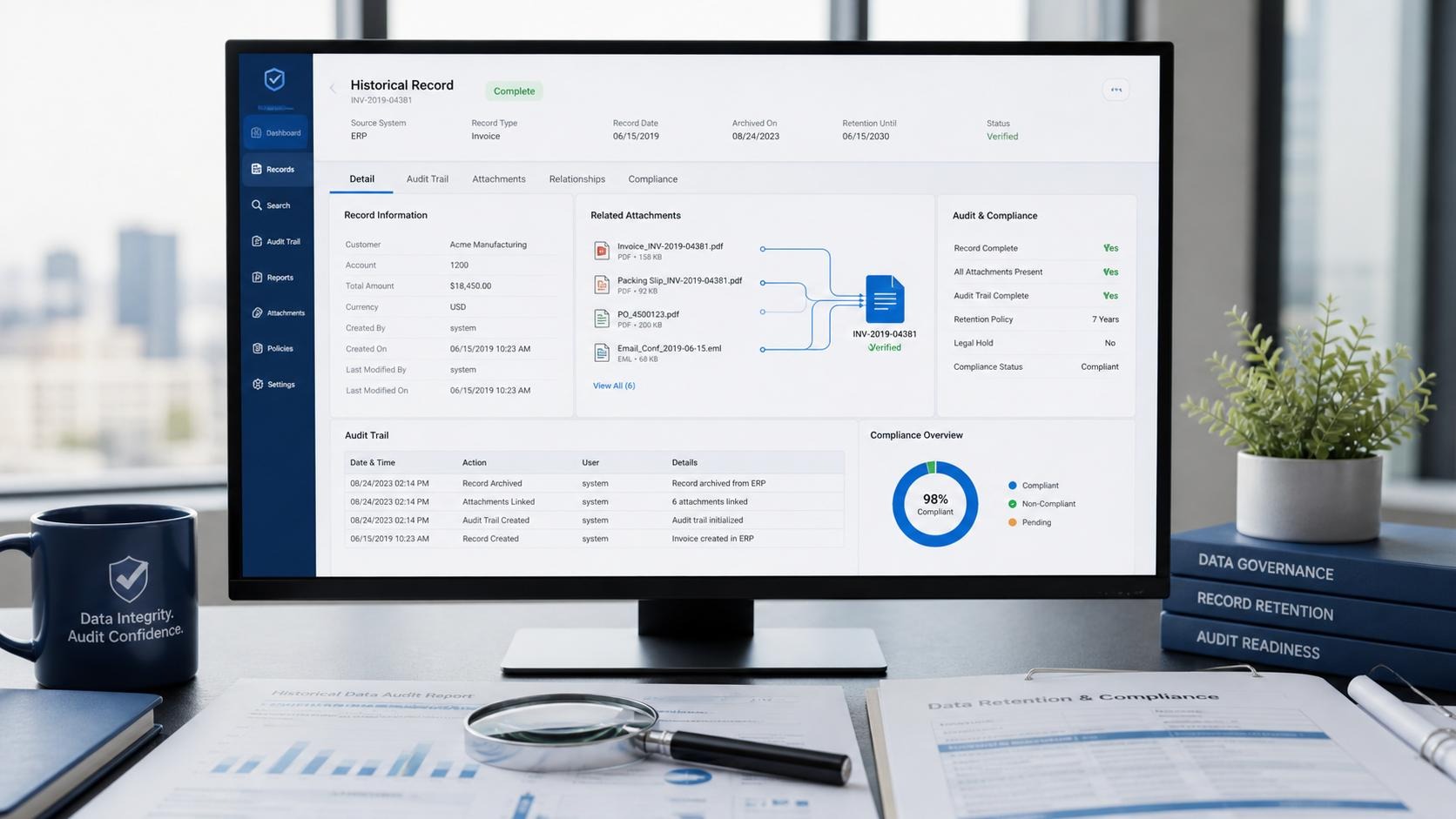
Preserves general ledger detail
The GL impact of every transaction, by subsidiary and by period, which is what makes a trial balance possible from the archive alone.
Includes multi-book accounting
Each accounting book reconciled book by book, not only the primary one.
Captures custom records and custom fields
Not only the standard record types: the custom objects an account accumulates over years, including SuiteApp-generated ones.
Keeps entity relationships intact
Transactions still resolve to their customers, vendors, items and subsidiaries; sublists survive as sublists.
Links File Cabinet attachments to their records
Linked to the records they belong to, with the folder structure kept.
.svg)
Customer testimonials

.svg)
Blueacrobat Corporation completed the project and delivered the exported files within a month. Their team was responsive and great to work with. They understood the client's needs and proposed suitable solutions. Moreover, they kept the client updated and communicated well via phone and email.

Excellent support. They managed the process very professionally, self-reliant and were giving regular status updates. They actively addressed issues and proposed solutions themselves. There was one blocker issue which was escalated same day and we accepted their proposed solution. They were faster than promised, work estimation was very precise. Their customer portal provided added value for us. Cost estimate was precise (and very fair) and was met. In other words: High quality work and communication. Project delivered in time and budget, can't wish for more.

They delivered items ahead of our firm deadlines. They were willing to work with us through a fairly laborious vendor onboarding and information security audit, which would've been a dealbreaker. They covered their bases well and knew exactly what we needed ahead of us asking.

Blueacrobat Corporation delivered high-quality work on time, allowing the client access to the data query. They communicated frequently and promptly, ensuring an effective workflow. Their unique services and responsiveness were hallmarks of their work.

Not many providers can do what Blueacrobat Corporation does with their affordability and effectiveness

.svg)
Why Blueacrobat?

Experience and Expertise
Blueacrobat has helped high-profile customers such as HPE, Kimberly-Clark, Dropbox, Snapchat, NetApp and many others with their data extraction and archival needs, and has a proven track record of delivering a service that meets and often exceeds each client's specific needs.

Data integrity
Data integrity comes first: great care is taken that the organisation's data is correctly extracted and archived. Rigorous quality checks run throughout the process, and the result is verified against the source so that all data is correctly transferred and organised.

Mature Processes
A proven methodology for data extraction and archival keeps the organisation's data secure and accessible. The processes are kept up to date with best practice in data management, so the data is always handled with the utmost care.

Reliable Service
Blueacrobat provides a reliable service fitted to each client's needs, making sure every part of the extraction and archival process is handled correctly. It works closely with the organisation's team to understand its requirements and upholds rigorous standards: it is ISO/IEC 27001:2022 certified and SOC 2 Type II audited.

Find Out More or Request a Demo
For an organisation that needs enterprise-level data extraction and archival, AcroXtract is the service built for it. Contact Blueacrobat to learn more about the service and how it simplifies data extraction and archival.
.svg)


.svg)

Frequently Asked Questions
Can we export all of our NetSuite data?
.webp)
Yes. AcroXtract exports every record type in the account in one engagement: a full CSV export, a complete MySQL database, or both, with the File Cabinet as files and the identifiers that keep the records linked. The export is verified against the source account before it is handed over.
What does AcroXtract extract from our NetSuite account?
All the business records and the relationships between them including transactions, sales orders, invoices, journals, vendor bills, customers, contacts, sales orders, invoices, leads and custom records, together with sublists, custom records and custom fields. Preserving the relationships is the part that matters most later. Records extracted as flat, unrelated files can be stored, but answering a question that depends on how they connect means rebuilding those links by hand.
What determines timing and cost?
The size of the account, the number of record types in use, the volume of File Cabinet content, and how heavily the account has been customised. A quote follows a short sizing exercise rather than a list price, because those factors vary widely between accounts of the same nominal size.
What security information can we review before engaging?
Blueacrobat is ISO/IEC 27001:2022 certified and undergoes an annual SOC 2 Type II examination. Data is encrypted in transit and at rest, and extraction runs against the organisation's own account with credentials it controls. Security and procurement teams can review the controls in the Trust Centre.
When should we start if our NetSuite licence has an end date?
Earlier than feels necessary. The account has to be inventoried, the extraction has to run, and the result should be validated by the people who will rely on it, all before access to the source account ends. Starting while the account is still open and the timeline still has slack is what keeps the last of those steps from being skipped.

.png)
.png)